Templates
A template is a fixed-size canvas — say 1920×1200 — onto which you drop full panels and fragments, freely positioned and sized. The result is a single composited image that streams to any viewer as one stream.
Use templates when you want:
- A custom EFB layout for an iPad that mixes PFD, ND and a charts fragment on one screen.
- A home-cockpit display showing an exact physical instrument layout.
- A combined overlay for a streaming setup, e.g. a small engine fragment in the corner of a big PFD.
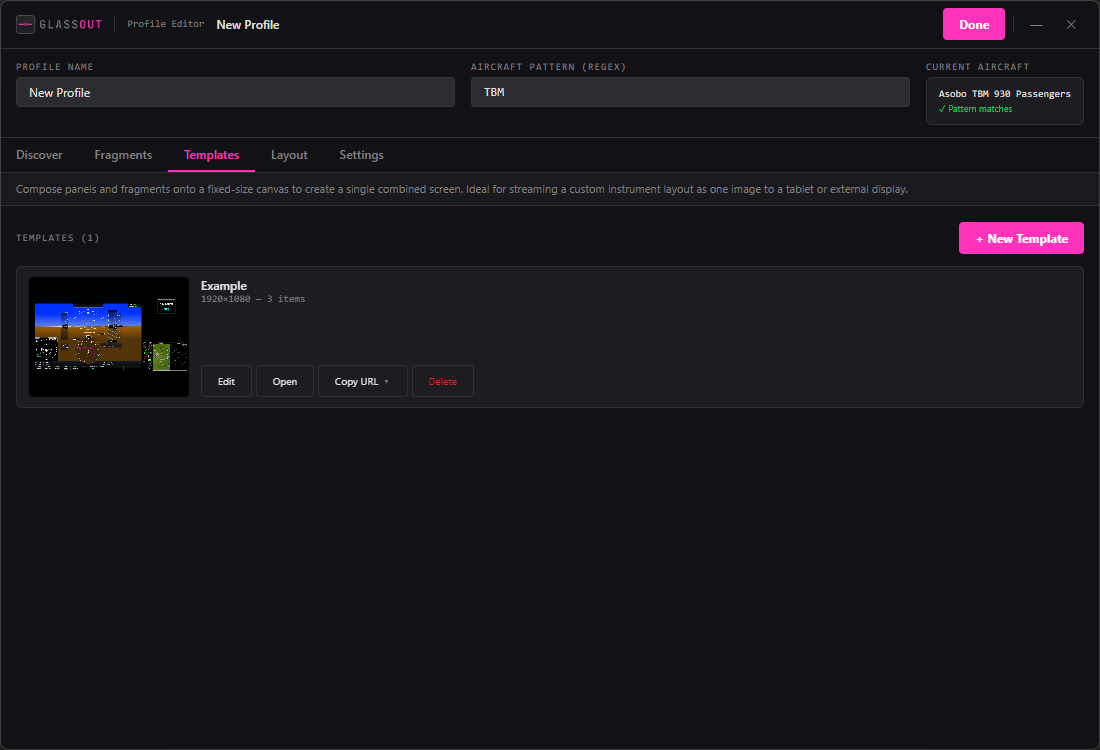
Creating a template
- In the profile editor, open the Templates sub-tab.
- Click + New Template. A new template editor window opens.
- Set the canvas size (width × height in pixels) — pick your target display's resolution.
- Drag panels and fragments onto the canvas. Each dropped item becomes a positioned, resizable box.
- Arrange as you like. Changes auto-save.
Editing items on the canvas
- Drag to move.
- Resize with the handles on any side or corner.
- Items keep their aspect ratio unless you override it — the source pixels are simply stretched into the destination rectangle.
- Z-order is the order you added them; later items are on top.
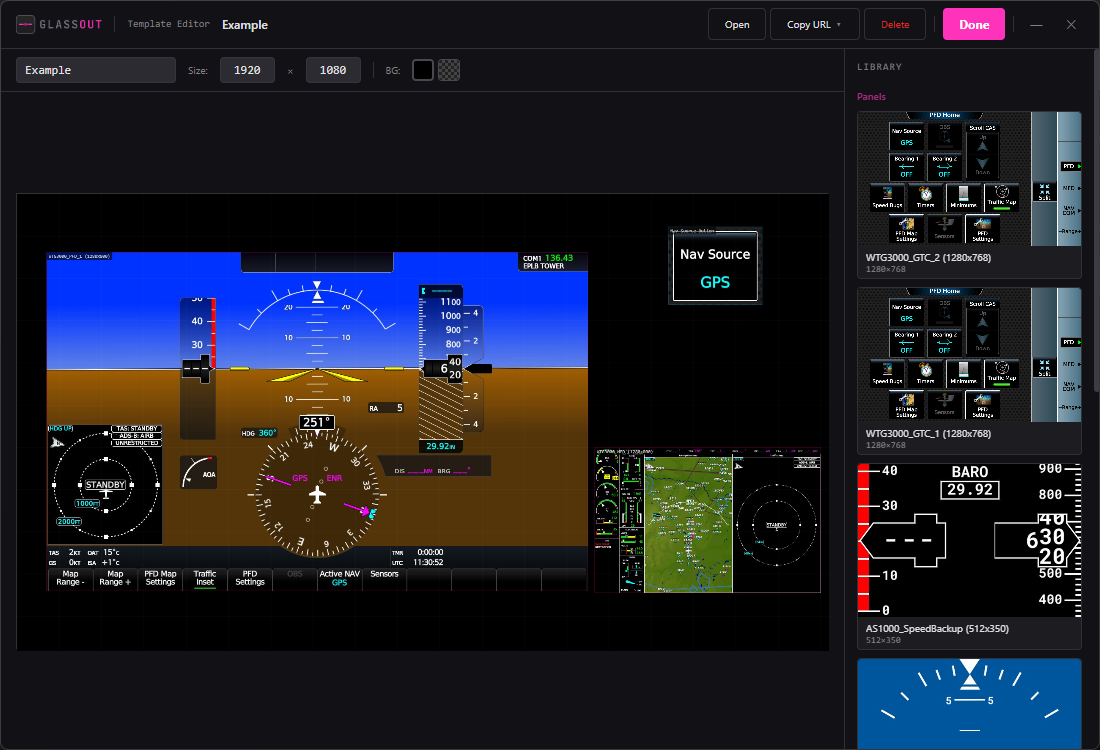
Background color
Every template has a background colour (default #000000). Set it in the
template's properties — it fills the parts of the canvas not covered by any
item.
Template actions
Same pattern as fragments:
| Action | Result |
|---|---|
| Edit | Opens the template editor. |
| Open | Shows the composited canvas in a viewer window. |
| Copy Configuration URL | A /canvas?w=&h=&panel[0][*]=... URL with every item encoded inline. |
| Copy Instance URL | A /instance/<profile>/<template> URL that refreshes automatically whenever you edit the template. |
| Delete | Removes the template (items are not deleted — they're references, not copies). |
Click-through works
A click anywhere on the composited canvas is hit-tested, translated back into the source panel's coordinates, and forwarded to MSFS as a synthesised click. Touch panels inside templates remain fully interactive, including respecting the profile's click delay.
Performance note
Templates are rendered client-side in the viewer. The engine streams each underlying panel separately, and the HTML viewer composites them onto the canvas in real time. That means:
- Only the panels your template uses are streamed.
- If a panel is shared between multiple viewers, it's only encoded once.
- CPU / bandwidth scales with the number of unique source panels, not the number of templates referencing them.