Welcome to GlassOut
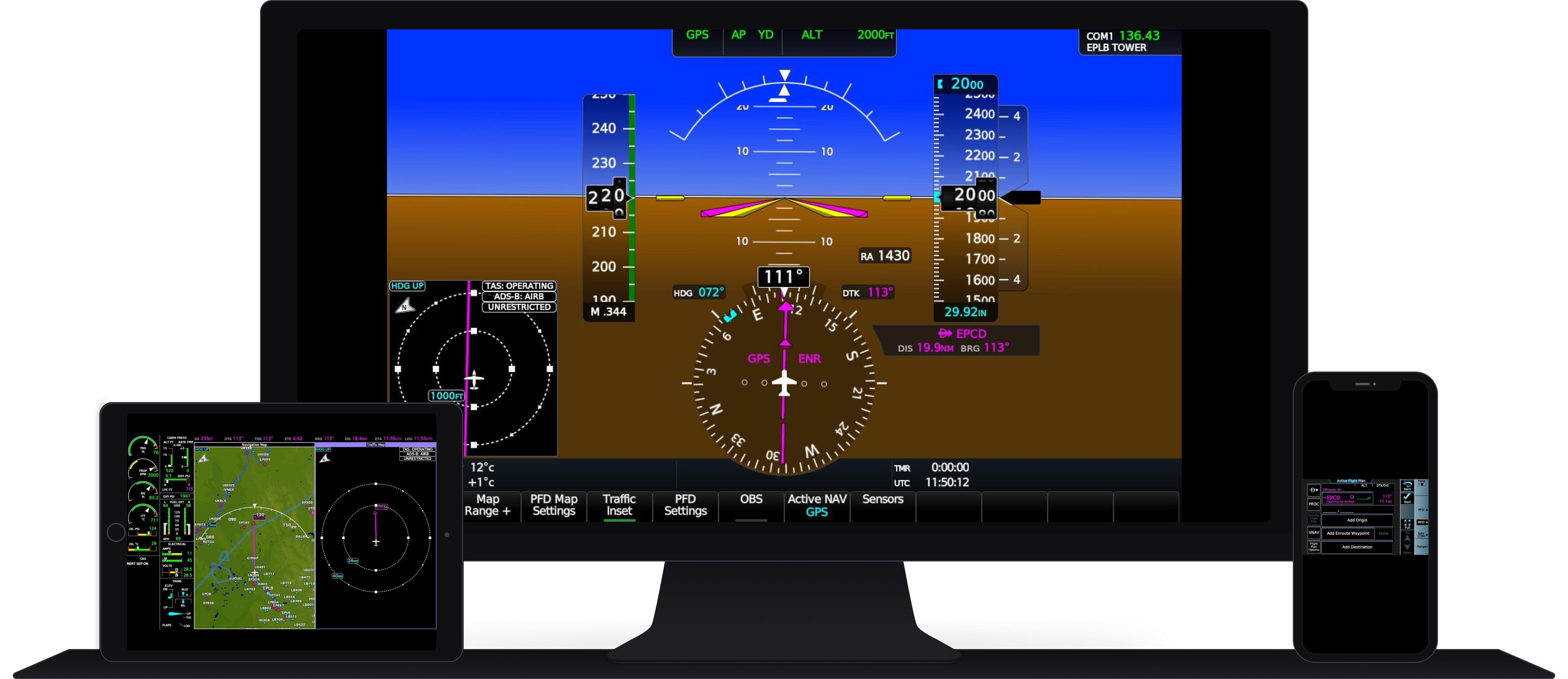
GlassOut pulls instrument screens straight out of Microsoft Flight Simulator 2024 and 2020 and streams them — lossless, lag-free — to any screen on your network. Phone, tablet, another PC, a Raspberry Pi touchscreen bolted to a home-cockpit: if it can open a web page, it can display a panel.
What makes it different
- No pop-outs. Start GlassOut, start flying — panels are captured automatically in the background. You never have to pop a window out of MSFS manually.
- No video encoder, no GPU hit. Each panel is JPEG-encoded on the CPU via libjpeg-turbo. Quality adapts per-client based on link health, so a phone on weak WiFi gets smaller frames automatically while a wired PC gets the sharpest version. Works the same whether you're on a 3090 or an Intel iGPU.
- Real panels, not screenshots. Each panel is captured as a live texture directly from the sim — independent of the aircraft's zoom or camera state.
- Crop anything. MSFS often renders several gauges into a single atlas texture. GlassOut lets you crop sub-regions (we call them fragments) — perfect for pulling a single needle out of a multi-display layout.
- Compose anything. Drop panels and fragments onto a template canvas and design your own EFB or home-cockpit layout.
- One click, many displays. A profile remembers every window's pixel position. Hit Run and GlassOut places borderless windows on exactly the right monitors.
- Works like a website. Every panel is just an HTML viewer at
/panel/<id>. Open it in any browser, embed it in an iframe, or hand the URL to your home-cockpit app.
Who it's for
- Simmers on tablets & phones — put a PFD or MFD on your iPad and leave MSFS full-screen on your main monitor.
- Home-cockpit builders — drive physical LCD panels from a single PC over LAN with pixel-perfect crops.
- Third-party developers — build MSFS add-ons that consume panels via our WebSocket protocol or SDK.
Where to go next
- Getting Started — install GlassOut and capture your first panel in under five minutes.
- Host or client? — same PC as MSFS, or a separate display PC on the LAN? Both work; pick what fits.
- Using the Desktop App — the full tour.
- Mobile App — discover the engine from your phone.
- For Developers — architecture, SDK, and the raw HTTP / WebSocket API.